


Voice Changer Male to Female
4.372.00 Reviews
App Specs
- Version
- 2.1.3
- Updated On
- License
- Free
- Downloads
- 5,000,000+
- Developer
- DOSA Apps
- Categories
- Music & Audio
- Platform
- Android
Screenshots
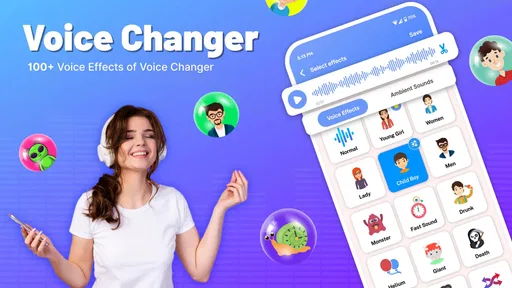
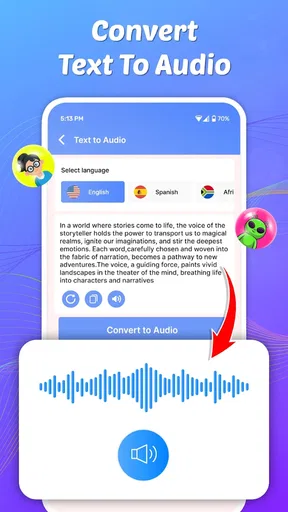
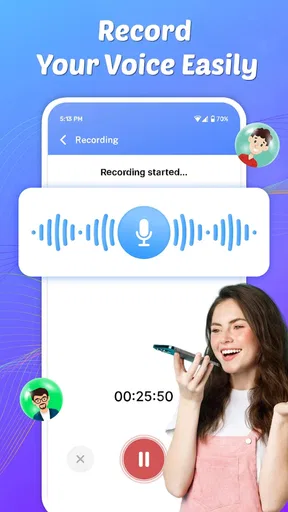
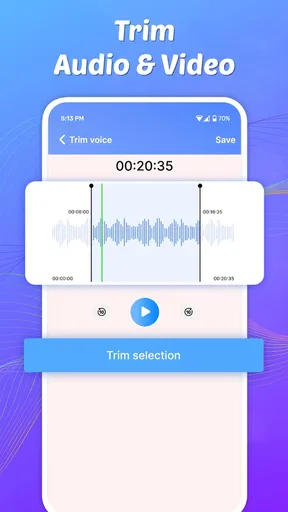
 Analysis by AppCompare
I tried Voice Changer Male to Female as a lighthearted music and audio app, and my first impression was straightforward: it is built for quick voice experiments rather than serious audio production. The idea is easy to understand, the free download removes an initial barrier, and the app’s focus makes sense for anyone who wants to record a voice, apply a different character, and share the result with friends. I would describe it as a playful tool for short moments, not as a replacement for a studio recorder or a full editing suite.
That distinction matters because voice-changing apps can create very different expectations. Some people want a funny message for a group chat, while others expect natural-sounding gender conversion, detailed pitch control, clean exports, or professional privacy safeguards. In my experience, this app is most appealing when the goal is simple entertainment and fast experimentation. If you approach it expecting a complete vocal-production workstation, you are likely to find the experience limited.
What the app is really useful for
The app comes from DOSA Apps and sits in the Music & Audio category. It is free to install, has an Everyone age rating, and supports devices running Android 8.0 or later. That combination makes it accessible for casual users, including someone who only wants to test a voice effect without committing to a subscription before trying the basics.
The central use case is obvious: record or work with a voice and turn it into something that sounds more feminine, then use the result for amusement or sharing. I can see it fitting naturally into a relaxed evening with friends, a playful birthday message, or a short social clip where the altered voice is part of the joke. It also works as a low-pressure way to explore how pitch and vocal character affect the way a sentence feels.
One practical tip is to begin with short, clearly spoken phrases instead of a long monologue. Voice effects usually reveal their strengths and weaknesses more quickly on a sentence with pauses and varied sounds. A short recording is also easier to compare with the original, easier to redo, and less frustrating if the result feels artificial. I found that treating the app like a sketchbook for ideas makes more sense than asking it to produce a finished performance.
The app has reached over five million installs and holds an average rating of 4.3 from around fifteen thousand ratings. Those figures suggest that the basic concept has found a sizable audience, but they should not be read as proof that every user will get the same result. Voice effects are especially dependent on the speaker, microphone quality, background noise, and the kind of voice being processed.
Trust starts with realistic expectations
For me, trust in an audio app begins with understanding what I am giving it and what I expect back. A voice recording can be more personal than an ordinary text note, so I would not treat this as a place for sensitive conversations, confidential work, or private information. Even when an app is used only for fun, the safest habit is to record material that would not cause trouble if it were accidentally shared or stored in an unexpected place.
Worth Reading Before You Choose

EA SPORTS FC Mobile 26 Is a Bigger Football Game, but It Takes Time

Flipboard Shows What News Apps Must Do Beyond the Feed

Switching to Android Auto Means Rethinking Your Driving Routine

Google Calendar Makes a Crowded Week Easier to Manage

Ludo King Makes the Most of the Minutes Between Plans

Baby Panda World Brings Quick Play to Modern Phones, but Its Game Library Feels Busy
I would also avoid recording other people without their knowledge or permission. A funny altered voice may feel harmless, but changing someone’s voice does not remove the need to respect consent. That is particularly important if the clip will be posted publicly, sent to a group, or used in a way that could make the speaker appear to say something they never said.
The app’s Everyone rating makes it suitable in a general sense, but parents should still explain the difference between using a voice effect for a joke and impersonating someone. Younger users may also need help deciding what to record and where to share it. The safest workflow is to keep experiments fictional, avoid names and personal details, and review a clip before sending it anywhere.
Another trust factor is the commercial model. The app is free, but in-app purchases range from under a dollar to nearly a hundred dollars per item. That is a wide spread, so I would pay close attention to every purchase screen rather than assuming that all useful functions are included at no cost. If I were handing the phone to a child or letting a friend try it, I would make sure purchase controls were already configured on the device.
Controls and choices I would check first
Before using any voice app, I check the operating system permission prompt instead of approving everything automatically. The important question is simple: does the app need microphone access for the action I am trying to perform, and am I comfortable granting it at that moment? If I am only browsing or deciding whether the app is worth keeping, I prefer not to grant recording access until I am ready to test the main function.
I also look at the phone’s permission settings after the first session. Android lets users review and change access later, which gives me a useful second chance to remove microphone access when I am finished. That is a practical control, not a reason to panic. It means I can use the feature when needed and then narrow the app’s access when it is no longer part of my routine.
There is a second layer of control that is easy to overlook: the recording itself. I would name or organize files in a way that does not expose private details, avoid including addresses or phone numbers in spoken clips, and delete unused takes rather than letting a pile of experiments accumulate. If the phone automatically backs up audio, that is another place where personal recordings may travel, so I would review the device’s own backup and sharing habits.
When an app offers an effect that sounds like a different person, I make one rule for myself: I use it to create a character, not to mislead someone. That keeps the feature fun while avoiding the most uncomfortable use cases. A transformed voice can be entertaining in a fictional skit, but it should not be used to imitate a family member, coworker, public figure, or service representative.
Where the experience can become frustrating
The biggest limitation is the gap between a label such as “male to female” and the complexity of a real human voice. A convincing change is not just a matter of moving pitch upward. Resonance, timing, pronunciation, recording quality, and the original speaker’s delivery all affect the result. Because of that, some clips may sound playful or synthetic rather than natural. I see that as part of the app’s character, but it is worth knowing before you judge the result too harshly.
Background noise is another likely trouble spot. A voice effect has less clean material to work with when there is traffic, music, wind, or several people speaking nearby. I get better results by recording in a quiet room, holding the phone at a consistent distance, and speaking at a normal pace. Speaking loudly does not automatically improve the output; it can make distortion more noticeable.
A useful comparison is to think about the usual alternatives. A basic phone recorder gives me cleaner control over the original audio but does not provide the same immediate novelty. A full audio editor offers more precise adjustments, yet it also takes longer to learn and may be excessive for a ten-second joke. Social media camera tools can be faster for sharing, but they often tie the effect to a particular platform or post format. This app makes the most sense in the middle: more focused than a recorder, less demanding than a production editor.
That middle position is also its trade-off. I would choose it when speed matters more than fine control. I would choose a proper editor when I needed to balance levels, remove noise carefully, layer music, or prepare an audio file for a polished project. I would choose a standard recorder when I wanted an untouched voice memo. Knowing that difference prevents disappointment and helps keep the app in the role it handles best.
A sensible workflow for everyday use
My preferred routine would be short and deliberate. First, I would decide whether the clip is only for private testing or intended for someone else. Then I would record a neutral sentence, listen to the processed version, and adjust my delivery rather than immediately recording a long message. If the effect sounds too exaggerated, speaking more slowly and leaving small pauses can make the result easier to understand.
For a group-chat joke, I would create two versions: one altered and one original. Keeping the original helps me compare what changed and gives me a backup if the effect makes a word unclear. It also avoids the common mistake of sending the first take simply because it is the first available take. A few seconds of review can prevent an unintentionally embarrassing clip.
For a creative project, I would record the voice separately from background music whenever possible. That gives me more flexibility later and makes it easier to remove the voice without also losing the music. I would also keep the spoken content fictional and avoid using real personal details. The app is better suited to a character line, a comic announcement, or a playful narration than to anything requiring documentary accuracy.
One less obvious consideration is audience context. A changed voice can be funny among friends who understand the joke, but confusing in a family group or a work conversation. I would add a short explanation when the recipient might not immediately realize that the audio has been modified. That small step preserves the fun without making the listener guess whether the message is genuine.
Who should use it, and who should skip it
I would recommend this app to someone who wants a quick, approachable voice effect and is comfortable with results that may sound stylized. It is a good fit for casual experimentation, short comedy clips, character ideas, and harmless conversations with friends. The free entry point also makes it easy to decide whether the effect matches your taste before spending anything.
I would be more cautious about recommending it to musicians, podcasters, actors, or video creators who need repeatable professional results. Those users usually need detailed editing, predictable processing, clean file management, and stronger control over the final mix. A dedicated audio application is likely to serve them better, even if it takes longer to learn.
I would also suggest skipping it if your main concern is handling private recordings. The safest approach is not to put confidential speech into a casual voice-effect tool. Use it for material that is disposable and non-sensitive, and make deletion and permission review part of your routine. The app can be enjoyable without becoming a permanent archive of personal conversations.
What the current release tells me
The current version is 2.1.3, and the app was released on April 16, 2024. I mention the version because audio tools can change in small but meaningful ways: a recording flow may be rearranged, an effect may behave differently, or purchase prompts may appear in a new place. After an update, I would quickly revisit the microphone permission, the available choices, and the way recordings are saved or shared instead of assuming the workflow is unchanged.
That habit is particularly useful for an app with optional purchases. I would never unlock something merely because a prompt interrupts the first test. I would first decide whether the free experience already meets my purpose, then check exactly what an item provides and whether the cost makes sense for occasional use. Since individual purchases can reach a high amount, careful confirmation is more important than impulse.
The rating and install history give the app useful social proof, but my own decision would still depend on the specific job. Popularity tells me that many people are willing to try the concept; it does not make the app appropriate for confidential audio or professional production. I value the broad adoption as a reason to investigate, not as a substitute for checking permissions and making sensible sharing choices.
My cautious verdict
Voice Changer Male to Female is an easy-to-understand entertainment app with a clear place in the Music & Audio category. I like it most when I use it for brief, fictional, low-stakes recordings and accept that the effect may sound more playful than realistic. Its strongest quality is immediacy: it turns an ordinary voice experiment into something shareable without requiring the workflow of a full editor.
My recommendation comes with boundaries. Keep recordings short, use a quiet environment, review the result before sharing, and treat the microphone and purchase controls as choices rather than buttons to approve automatically. Do not use the altered voice to impersonate people, and do not feed the app sensitive conversations simply because the feature is entertaining.
For a friend looking for a quick laugh, I would say it is worth trying while keeping expectations modest. For someone seeking polished vocal transformation, detailed mixing, or a privacy-first workspace for important recordings, I would point them toward a more specialized alternative. The best reason to install it is playful experimentation with clear personal boundaries, and within that role, DOSA Apps has made a focused tool that can be enjoyable without pretending to be something more advanced.
Pros
- Simple interface makes voice effects easy to find and apply.
- Offers entertaining male-to-female voice variations for casual use.
- Useful for creating short clips
- jokes
- and social media content.
- Quick processing keeps experimentation fast and convenient.
- Works well for users seeking a lightweight voice-playground app.
Cons
- Voice realism varies
- especially with deeper or uneven recordings.
- Some effects may sound repetitive after extended use.
- Output quality depends heavily on microphone and recording conditions.
- Advanced editing and fine voice controls may be limited.
- Ads or locked features can interrupt the overall experience.
FAQs for Voice Changer Male to Female
What is Voice Changer Male to Female and what does it do?
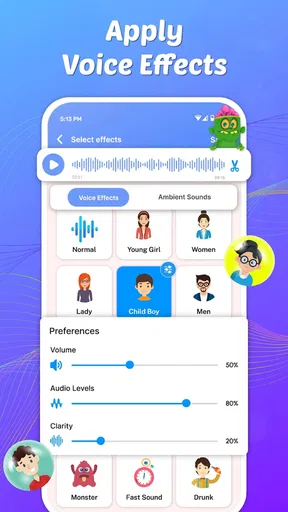
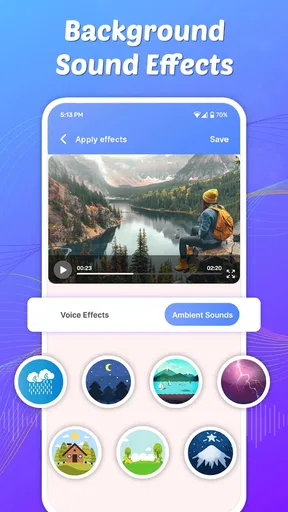
Voice Changer Male to Female is an app designed to modify recorded or live audio so a deeper voice sounds more feminine. Depending on the version and device, it may offer pitch adjustment, tone effects, background sounds, and voice filters. It is mainly intended for entertainment, creative recordings, social media clips, jokes, and experimenting with different vocal styles.
How do I use Voice Changer Male to Female after installing it?
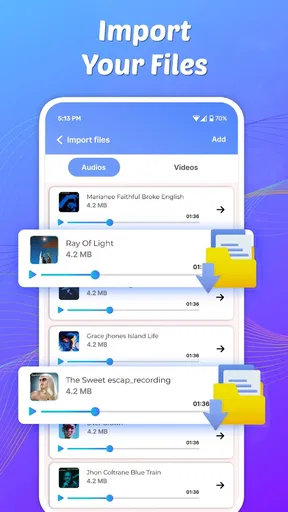
After opening the app, you generally need to grant access to the microphone and, in some versions, your device storage. You can then record a voice sample, select the male-to-female effect, adjust available controls, and preview the result. Once satisfied, the processed recording can usually be saved or shared through compatible messaging and social media applications.
Does Voice Changer Male to Female work in real time during calls or games?
This depends on the specific app version and your device. Many voice changer applications process recordings after you speak rather than changing your voice during regular phone calls. Some may provide real-time effects inside the app, but they may not work with WhatsApp, phone calls, online games, or other third-party services because those platforms restrict microphone access or do not support external voice filters.
Is Voice Changer Male to Female free to download and use?
The application may be available as a free download, but free versions commonly include advertisements, limited effects, recording restrictions, or optional premium features. Some tools may require in-app purchases or a subscription to unlock higher-quality filters and remove advertising. Before downloading, check the store listing carefully for pricing, trial conditions, supported features, and any recurring subscription terms.
Is it safe to use Voice Changer Male to Female with personal recordings?
Use caution when recording private conversations, children, or other people without their permission. Review the app’s privacy policy and requested permissions, especially microphone, storage, and network access. Avoid uploading sensitive recordings unless you understand how they are handled. For responsible use, keep the app updated, download it from an official store, and use altered voices for entertainment rather than impersonation, fraud, harassment, or misleading communication.


